Why Your Neck Hurts After Sitting at a Desk All Day—and What You Can Do About It

Why Desk Work Can Be Hard on Your Neck
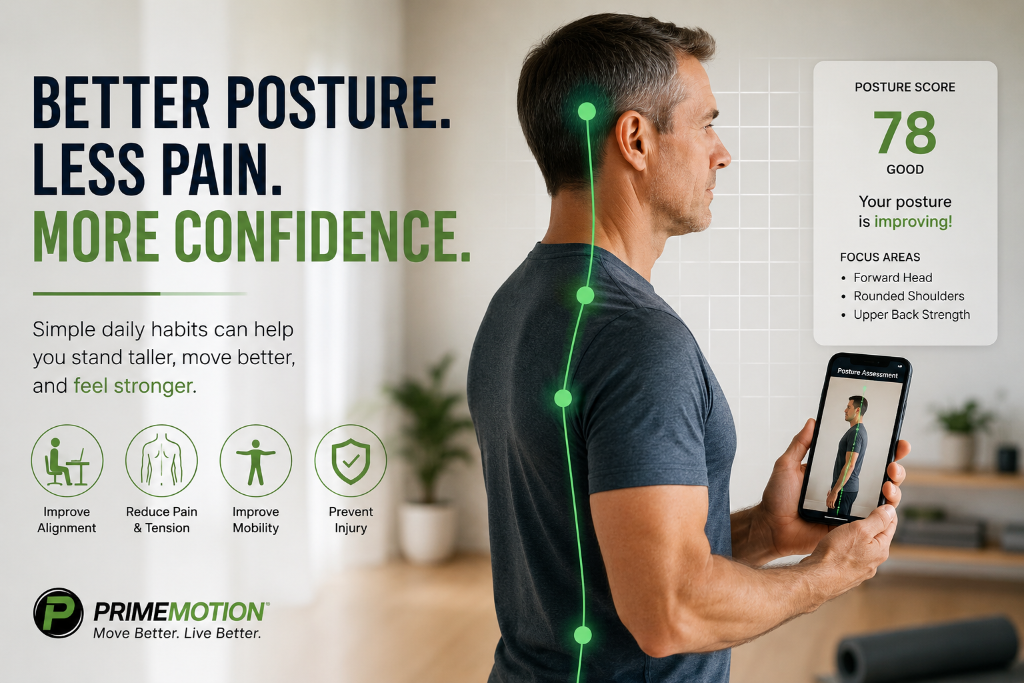
Neck pain is common among people who spend much of the day working at a computer. The problem is not simply that sitting is “bad.” Discomfort often develops when the body stays in one position for too long—especially when the head drifts forward, the shoulders round, or the neck remains turned toward a screen.
Your head is supported by muscles in the neck, shoulders, and upper back. When your head stays forward of your torso, those muscles must work continuously to hold it up. Even a position that initially feels comfortable can become tiring when it is held for hours.
The National Institute for Occupational Safety and Health identifies repetitive work, awkward neck positions, and static postures as workplace risk factors for neck-related musculoskeletal problems. OSHA also notes that prolonged static monitor viewing can fatigue the muscles supporting the neck and shoulders.
Common Desk Habits That May Contribute to Neck Pain
1. Your screen is too low, too high, or off to one side
If your monitor is too low, you may repeatedly look downward. If it is too high, you may tilt your head back. A screen positioned to one side can keep your neck slightly rotated for long periods.
Place your main screen directly in front of you. A useful starting point is to keep it about an arm's length away, with the top of the screen at or slightly below eye level. Adjust from there for comfort, vision needs, and the type of work you perform.
2. You work directly from a laptop
A laptop joins the screen and keyboard together. When the keyboard is at a comfortable typing height, the screen is often too low. When the screen is raised, the keyboard may be too high.
For longer work sessions, consider placing the laptop on a stable stand and using a separate keyboard and mouse. This allows the screen and your hands to be positioned independently.
3. Your keyboard or mouse is too far away
Reaching forward can pull the shoulders away from a relaxed position and increase demand on the neck and upper-back muscles. Keep the keyboard and mouse close enough that your elbows remain near your sides and your shoulders feel relaxed.
4. You stay still for too long
There is no single posture that remains ideal all day. Your body is built to change positions. Sitting upright, reclining slightly, standing, and walking can all be useful when you rotate between them instead of holding one position for hours.
5. Stress follows you into your shoulders
Mental stress can show up physically. During a difficult task or a rushed day, you may clench your jaw, lift your shoulders, or breathe more shallowly without noticing. These habits can add to neck and shoulder tension.
A Better Desk Setup
Use this quick workstation check:
- Screen: Directly in front of you, roughly an arm's length away, with the top at or slightly below eye level.
- Chair: Adjusted so your feet are supported by the floor or a footrest and your back is supported.
- Keyboard and mouse: Close to your body, with elbows near your sides and shoulders relaxed.
- Phone: Avoid holding it between your shoulder and ear. Use speaker mode or a headset for longer calls.
- Frequently used items: Keep them within easy reach so you do not repeatedly lean or twist.
- Multiple monitors: Place the screen you use most directly in front of you. If both are used equally, center yourself between them and turn your whole body when possible.
Ergonomics can reduce unnecessary strain, but equipment alone is rarely the complete answer. Movement and exercise matter too. Research on office workers with neck pain suggests that neck and shoulder strengthening and general fitness can reduce symptoms, particularly when people participate consistently.
A Simple Three-Minute Neck Reset
Move gently and stay within a comfortable range. Stop any movement that causes sharp pain, dizziness, numbness, tingling, or pain traveling into the arm.
1. Chin retractions — 5 slow repetitions
Sit or stand tall and look straight ahead. Without looking down, gently glide your head backward as if making a small double chin. Pause briefly, then relax. Keep the movement small and controlled.
2. Shoulder-blade squeezes — 8 repetitions
Let your arms rest by your sides. Gently draw your shoulder blades back and slightly down without arching your lower back or shrugging. Hold for two seconds, then release.
3. Gentle neck turns — 3 repetitions per side
Keeping your chin level, slowly turn your head to one side until you feel a mild, comfortable stretch. Return to the center and repeat on the other side. Do not force the range.
4. Seated upper-back extension — 5 repetitions
Sit with your feet supported and place your hands behind your head or across your chest. Keeping your neck comfortable, gently lift your chest and extend your upper back over the back of the chair. Return slowly.
5. Stand, breathe, and walk — 30 to 60 seconds
Stand up, allow your arms to relax, take a few slow breaths, and walk briefly if space allows. The goal is not a strenuous workout. It is simply to interrupt the position you have been holding.
How Often Should You Move?
There is no universal break schedule that fits every person or job. A practical strategy is to take a brief movement break before discomfort becomes intense. Try linking movement to something already in your day: the end of a meeting, finishing an email task, refilling your water, or the start of each hour.
Short resets performed consistently are usually more realistic than waiting until the end of the workday to address hours of accumulated stiffness. PrimeMotion Workplace is designed around this idea, offering guided movement resets that fit into a busy schedule.
When Neck Pain Needs Medical Attention
Desk-related neck discomfort often improves with movement, exercise, and workstation changes, but not every case should be managed alone. Seek prompt medical care after a significant injury or if neck pain is accompanied by symptoms such as new arm or leg weakness, loss of coordination, severe or worsening numbness, difficulty walking, loss of bladder or bowel control, fever, a severe headache, chest pain, or other concerning symptoms.
Consider speaking with a qualified healthcare professional if the pain is severe, repeatedly returns, travels into the arm, disrupts sleep, or does not improve with reasonable self-care.
The Bottom Line
Your neck may not hurt because you failed to maintain perfect posture. More often, the problem is a combination of an uncomfortable setup, prolonged stillness, repeated reaching, stress, and insufficient movement.
Start with three steps: bring the screen and input devices to you, change positions regularly, and use short movement breaks throughout the day. Small adjustments made consistently can make the workday feel far better on your neck and shoulders.
Evidence Sources
- OSHA, Computer Workstations: Work Process and Recognition
- OSHA, Computer Workstations: Monitors
- CDC/NIOSH, Ergonomics Risk Factors
- Mayo Clinic, Office Ergonomics: Your How-To Guide
- Chen et al., Workplace-Based Interventions for Neck Pain in Office Workers
This article is for general educational purposes and is not a diagnosis or a substitute for individualized medical care.
PrimeMotion content is provided for general educational purposes and is not a substitute for individualized medical advice, diagnosis, or treatment.
Feel Better at Your Desk
PrimeMotion Workplace offers free movement resets, workspace guidance, and progress tracking to help you move better during the workday.
Get Workplace Free